

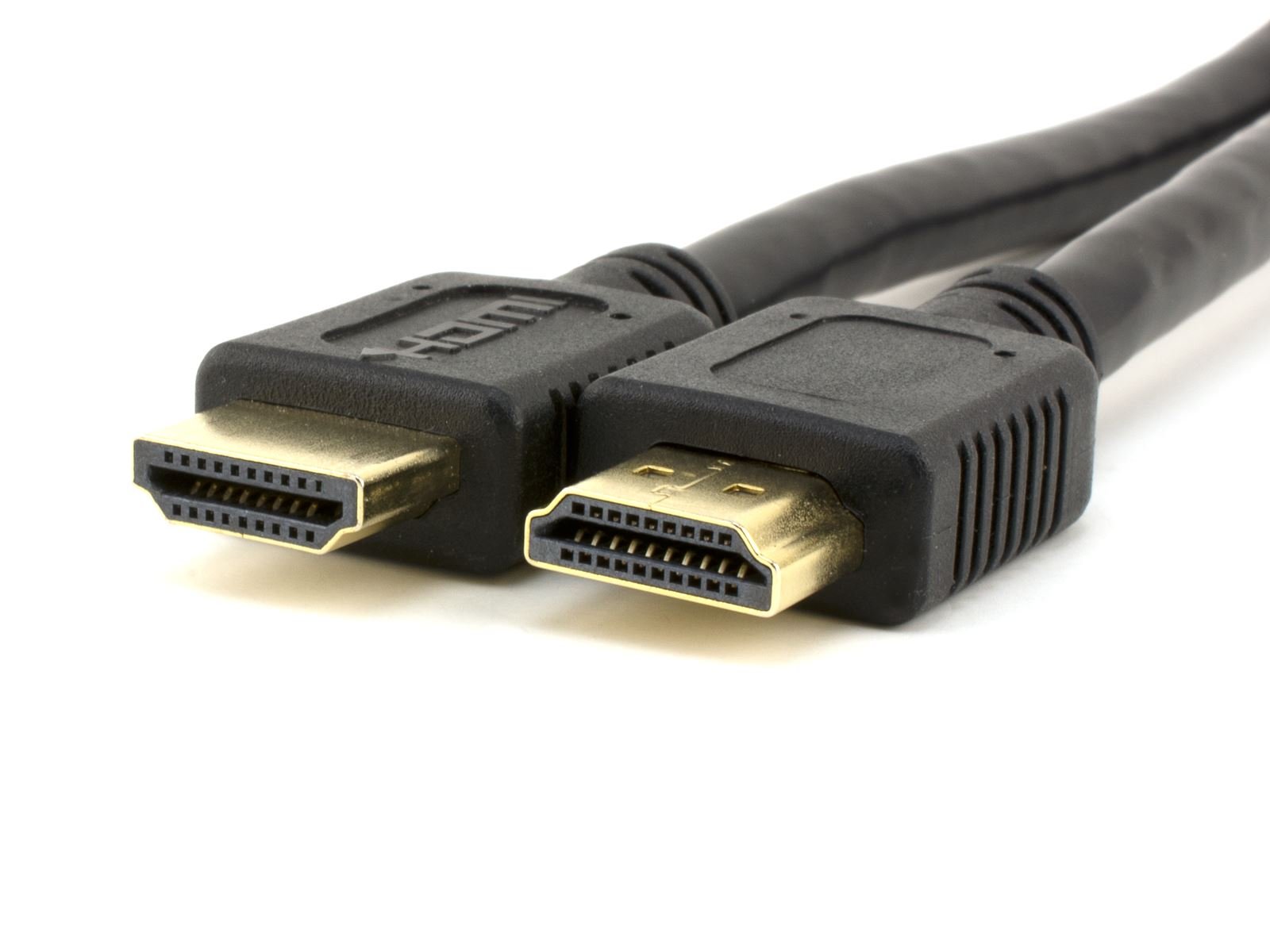
An HDMI cable is the key to unlocking stunning visual and audio experiences on your devices. Picture this: crystal-clear 4K resolution, immersive surround sound, all seamlessly connected through a single cable. Say goodbye to messy setups and hello to high-definition bliss with the simplicity of an HDMI cable. Whether you’re a tech enthusiast or a casual user, the impact of this tiny yet mighty cable cannot be overstated. Dive into our blog as we unravel the wonders and possibilities that come with the versatile and indispensable HDMI cable.

The Ultimate Guide to HDMI Cables: Everything You Need to Know
Welcome to the ultimate guide to HDMI cables! If you’re someone who loves watching movies, playing video games, or simply enjoys streaming your favorite shows on a big screen, then you’ve probably heard of HDMI cables. In this comprehensive article, we’ll explore everything you need to know about HDMI cables, from what they are to how to choose the right one for your setup. So, grab a snack, get comfy, and let’s dive into the world of HDMI cables!
What is an HDMI Cable?
Let’s start with the basics. HDMI stands for High-Definition Multimedia Interface. An HDMI cable is a cable that carries high-quality audio and video signals from one device to another. It’s like a superhighway that allows your favorite content to travel from your Blu-ray player, gaming console, or streaming device to your TV or monitor.
Types of HDMI Cables
There are several types of HDMI cables available on the market. The most common ones are Standard HDMI, High-Speed HDMI, and Premium High-Speed HDMI cables. Standard HDMI cables are suitable for 720p and 1080i video resolutions, while High-Speed HDMI cables can handle 1080p and higher resolutions. Premium High-Speed HDMI cables support 4K, 8K, and even 10K video formats.
Factors to Consider When Choosing an HDMI Cable
When selecting an HDMI cable for your setup, there are a few key factors to keep in mind:
- Resolution: Make sure the HDMI cable you choose supports the resolution of your TV or monitor.
- Length: Consider the distance between your devices and choose an appropriate cable length to avoid signal loss.
- Version: Check the HDMI version compatibility to ensure smooth connectivity between your devices.
- Connector Type: HDMI cables come with different connector types, such as Standard, Mini, and Micro HDMI. Choose the one that fits your devices.
Benefits of Using HDMI Cables
Using HDMI cables offers numerous benefits, such as:
- High-Quality Picture and Sound: HDMI cables deliver crystal-clear visuals and immersive audio, enhancing your viewing experience.
- Easy Connectivity: HDMI cables are plug-and-play, making them convenient to use without the need for complicated setups.
- Compatibility: HDMI cables are widely compatible with various devices, ensuring seamless connectivity.
- Support for Advanced Features: HDMI cables support features like 3D video, Ethernet connectivity, and Audio Return Channel (ARC).
How to Connect HDMI Cables
Connecting HDMI cables is a breeze! Here’s a simple step-by-step guide:
- Locate the HDMI port on your source device (e.g., Blu-ray player).
- Insert one end of the HDMI cable into the source device’s HDMI port.
- Locate the HDMI port on your display device (e.g., TV).
- Insert the other end of the HDMI cable into the display device’s HDMI port.
- Turn on both devices and select the HDMI input on your display device to enjoy your content.
Common HDMI Cable Myths Debunked
There are several myths surrounding HDMI cables that may confuse consumers. Let’s debunk some of the most common ones:
Myth: Expensive HDMI Cables Provide Better Quality
Reality: The price of an HDMI cable doesn’t necessarily correlate with its quality. High-quality HDMI cables can be affordable and offer excellent performance.
Myth: All HDMI Cables Are the Same
Reality: HDMI cables vary in terms of resolution support, build quality, and features. It’s essential to choose the right cable for your specific needs.
Myth: HDMI Cables Degrade Over Time
Reality: HDMI cables are durable and can last for years without experiencing degradation in performance. Regularly inspecting and handling them with care can prolong their lifespan.
Future of HDMI Cables
As technology continues to evolve, HDMI cables are also advancing to support higher resolutions, faster data transfer speeds, and new features. With the emergence of 8K and 10K displays, HDMI cables are adapting to meet the demands of cutting-edge entertainment systems.
Stay tuned for the latest developments in HDMI cable technology as we move towards a future of unparalleled audiovisual experiences!
In conclusion, HDMI cables play a crucial role in delivering high-quality audio and video content to your preferred display devices. By understanding the different types of HDMI cables, the factors to consider when choosing one, and how to connect them, you can enhance your viewing experience and enjoy seamless connectivity between your devices.
Remember to select the right HDMI cable based on your resolution requirements, device compatibility, and cable length to maximize performance. With the benefits of using HDMI cables and the debunking of common myths, you can make informed decisions when investing in your home entertainment setup.
Embrace the future of HDMI cable technology and stay ahead of the curve in experiencing the best that audiovisual entertainment has to offer. Happy viewing!
The Best HDMI Cables – Don't Get Ripped Off!!
Frequently Asked Questions
What devices can I connect using an HDMI cable?
An HDMI cable can connect various devices such as TVs, computers, gaming consoles, Blu-ray players, and streaming devices like Roku or Apple TV. It allows you to transmit high-definition audio and video signals between compatible devices.
How do I know if my HDMI cable is working properly?
To check if your HDMI cable is working, ensure that both ends are securely connected to the devices. Try using a different HDMI port on your TV or monitor. You can also test the cable by connecting it to another compatible device to see if it transmits audio and video signals without any issues.
Can I extend the length of an HDMI cable?
Yes, you can extend the length of an HDMI cable using HDMI extenders or repeaters. These devices help maintain the signal quality over a longer distance by amplifying the signal or using fiber optic technology. Make sure to use high-quality extenders to prevent signal degradation.
Final Thoughts
In conclusion, when choosing an HDMI cable, consider your specific needs and budget. Opt for a high-quality HDMI cable to ensure optimal signal transmission and compatibility with your devices. Remember, not all HDMI cables are created equal, so investing in a reliable HDMI cable can make a significant difference in your viewing experience. Don’t overlook the importance of using a quality HDMI cable to fully enjoy your entertainment system.